How It Works
A workflow designed for real-world software development, where requirements change and custom logic is essential
Model Your Domain
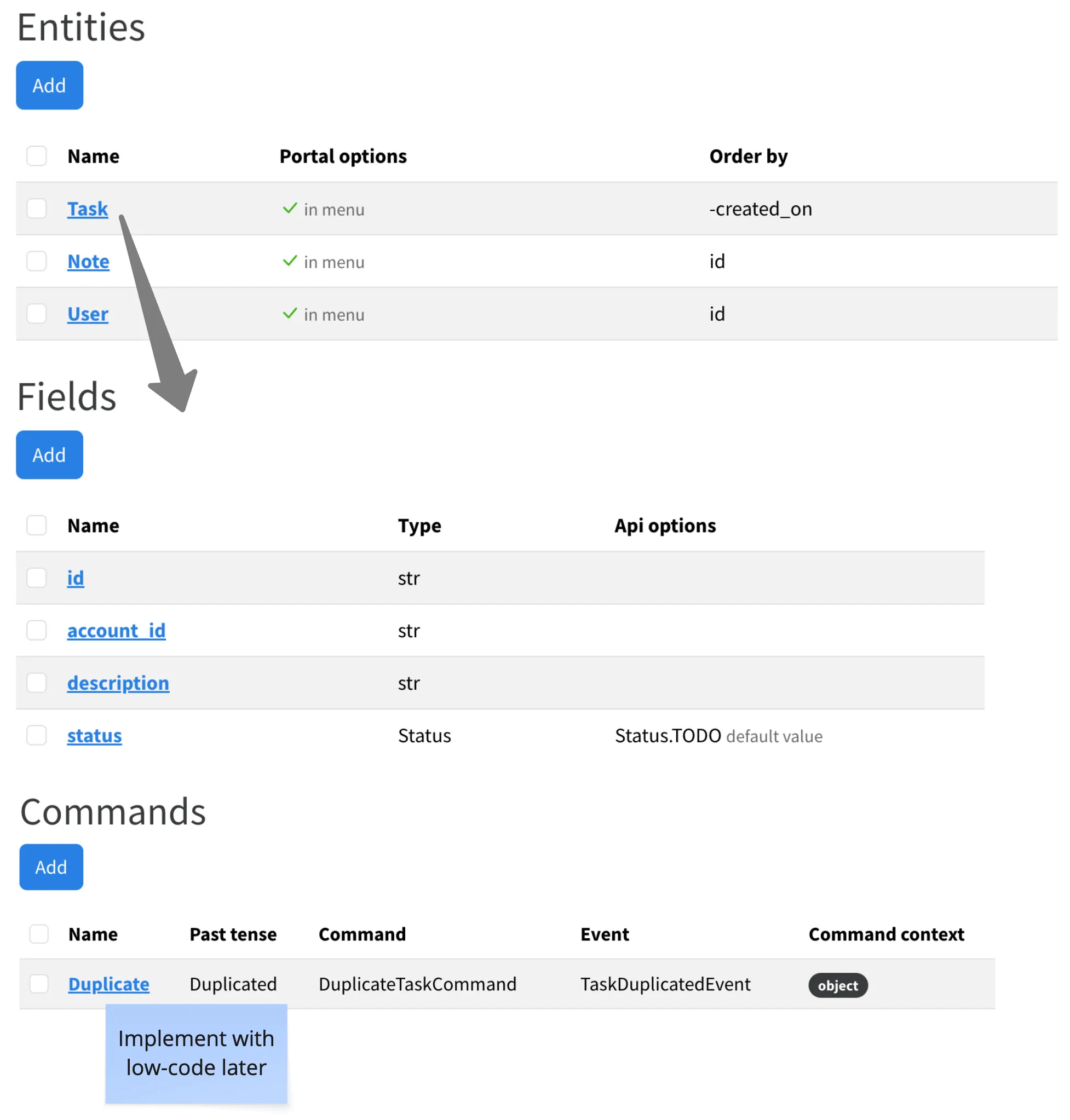
In Fractal Studio, you define the building blocks of your application without writing code. Think of it as structured requirements gathering that directly feeds into generation.
- 1Connect your GitHub repository via the Fractal GitHub App
- 2Define entities, their fields, and relationships
- 3Add commands (write operations) and queries (read operations)
- 4Configure services, repositories, and RBAC permissions
Define Permissions Visually
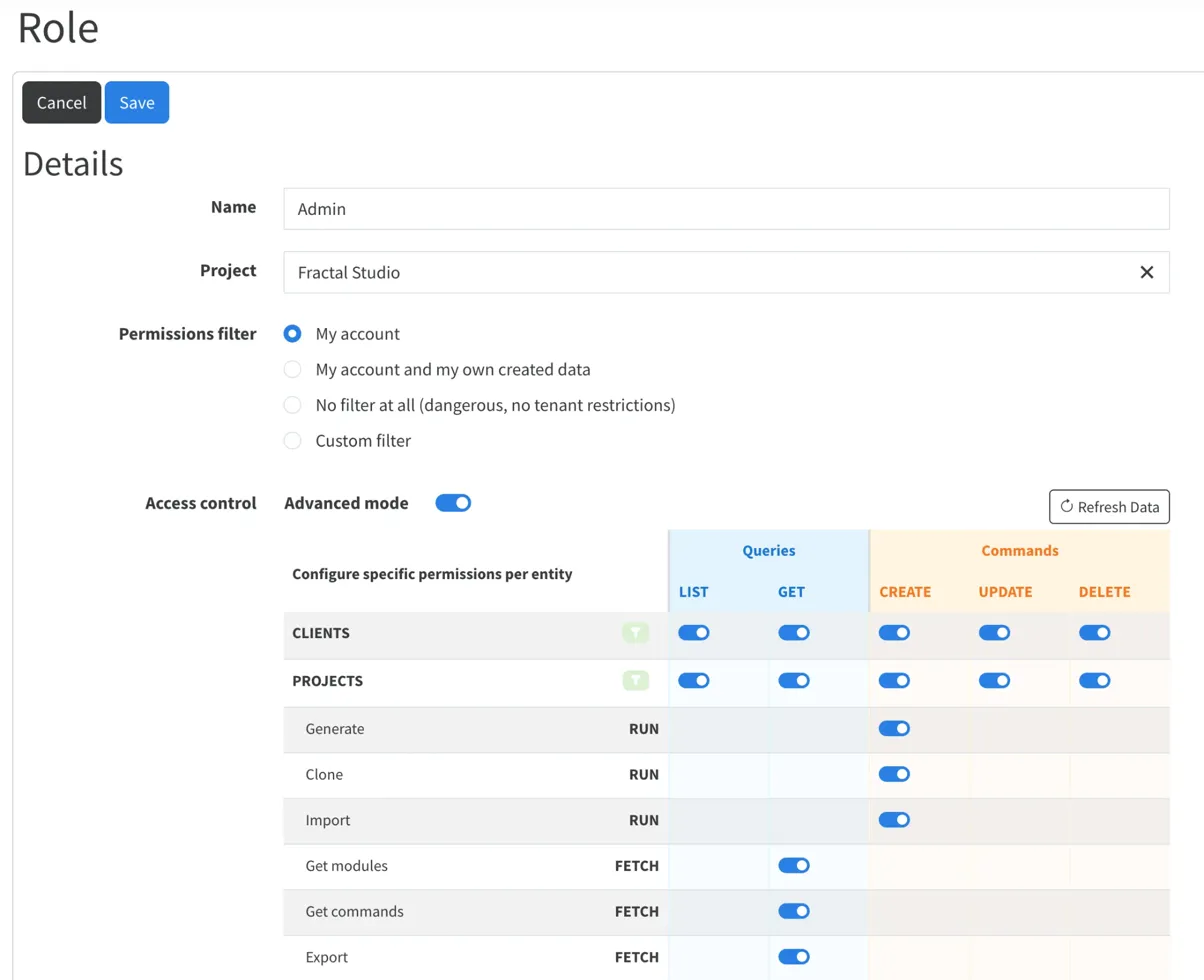
Configure role-based access control with a visual permissions matrix. Define which roles can list, get, create, update, or delete each entity. The generated code enforces it automatically.
Advanced mode lets you set record-level permissions and custom filters. Tests are auto-generated to verify every role/endpoint combination.
Generate Full-Stack Code
Hit generate and Fractal Forge produces a complete application on a new Git branch. The code follows CQRS/DDD patterns and is designed to be read and understood.
- FastAPI backend with typed models and routes
- SvelteKit frontend with working forms and views
- Test suites for API and services
- Docker and CI/CD configuration
Add Your Business Logic
This is where Fractal Forge differs from low-code platforms: you're expected to write code. Command handlers and complex queries need your domain expertise.
- Implement command handlers with the actual business logic
- Extend frontend components with custom UI where needed
- Add integrations for external APIs, services, webhooks
Your custom code lives in the custom/ directory and is never touched by regeneration.
Regenerate Without Fear
When your model changes, regenerate. The new code appears on a fresh branch. Your custom code on main stays untouched. Merge when you're ready.
What about conflicts?
Standard Git merge conflicts. You review them just like any other branch merge. No special tooling, no magic, just code.
The Key Insight
Most code generators fail because they try to hide the generated code from you. Fractal Forge takes the opposite approach: the generated code is the product. You're expected to read it, understand it, and extend it.
This means junior developers learn good architecture patterns by working within a well-structured codebase. And senior developers can override anything when they need to.
Ready to see real use cases?
See how teams use Fractal Forge for legacy modernization, Excel replacement, and rapid prototyping.